Overview
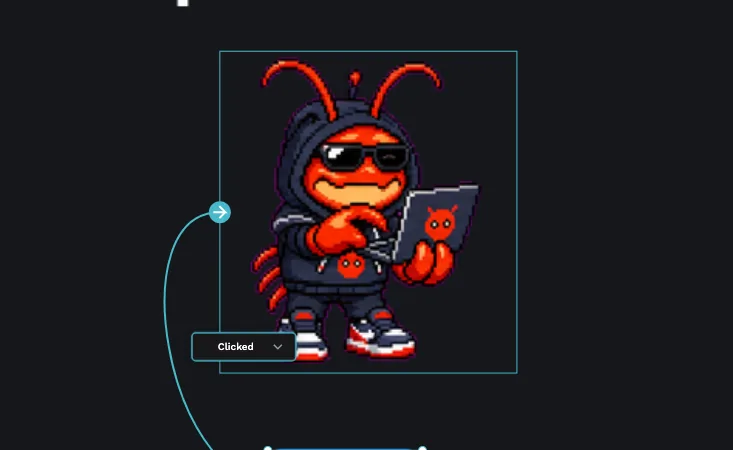
A pet is an animated sprite, a little character that cycles through frames to come alive. When you submit one, it can be featured in the community Pets gallery for everyone to use and enjoy.
There are two ways to submit a pet. The fastest is via Petdex: you paste a single URL and you're done. The other is via GitHub, for sprites you host yourself as a spritesheet and a sprite.json. You can submit an existing Petdex pet or create an original one of your own.
Both methods live inside the PicoPixel app, so you'll need to be signed in first.
Before you start
Everything happens inside the PicoPixel app. To get to the submission screen:
- Open the app at app.picopixel.io.
- Sign in if you aren't already, sign-in is OAuth via Google or GitHub. If you skip this, you'll be prompted before you can submit.
- Click your account at the bottom of the left sidebar.
- Choose "Your account".
- Open "Submit Sprite".
The Submit Sprite screen offers the two methods described below.
You must be logged in to submit anything. If you're not signed in, the app will prompt you before letting you continue.
Submitting via Petdex
This is the recommended and fastest method. Petdex is an external pet directory at petdex.crafter.run where you can browse, create, and host pets. Every pet there has a shareable URL shaped like https://petdex.crafter.run/pets/<pet-id>.
To submit:
- Find or create the pet on Petdex and copy its URL.
- On the Submit Sprite screen, choose "Submit via Petdex".
- Paste the pet URL into the "Petdex URL" field.
- Add anything helpful in the optional "Notes" field.
- Send it.
Submitting via Petdex is the quickest path, it's labelled RECOMMENDED and FASTEST for a reason. A single URL is all you need.
Submitting via GitHub
Use this method when you host the sprite yourself. You'll provide the raw files instead of a Petdex link.
- Put your spritesheet image and a matching
sprite.jsonin a public GitHub repository. - On the Submit Sprite screen, choose "Submit via GitHub".
- Paste the repository URL (
https://github.com/...). - Fill in "Credits / Author" so your work is attributed.
- Add anything useful in the optional "Notes" field, then send.
The spritesheet and sprite.json need to follow a specific format. The next section walks through it.
Creating your own unique pet
Instead of reusing a featured Petdex pet, you can make an original one. AI tools like OpenAI Codex or AI image generators are a practical way to produce a character spritesheet from scratch.
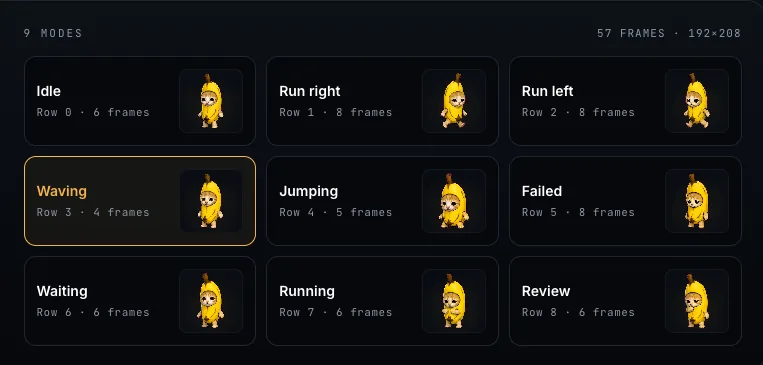
A spritesheet is a single image (PNG or WebP) laid out as a uniform grid, an "atlas". Lay it out with one animation per row, and keep every frame identical in size.
Every frame must be exactly the same width and height. A grid with mismatched cells will not slice cleanly, and the animation will jump or break.
A sprite.json describes the sheet. It has two main parts:
- atlas, the grid layout:
columns,rows,frameWidth, andframeHeight. - states, an array of animations. Each state has an
id, alabel, therowit sits on, the number offrames, an optionaldurationMs, agroup, and acaption.
Typical states include idle, wave, jump, run-right, run-left, running, waiting, failed, and review. A sprite needs at least two states, so generate the common ones, at minimum idle plus one motion.
A good workflow: generate the frames at a consistent size, arrange them on a regular grid with one animation per row, then describe the grid and states in sprite.json and submit via Petdex or GitHub.
The sprites concept, states, phases, and reuse, is explained in more depth in LVGL Sprites.
What happens next
Once you submit, the PicoPixel team reviews your pet and may follow up if anything needs clarifying. Approved pets appear in the Pets gallery, credited to you. From there, anyone in the community can find and use your creation.
Where to go next
- LVGL Sprites, how sprite states and frames work.
- Event Editor, add interactivity to your designs.
- Submit a Template, share a PicoPixel design others can start from.
- Report Content, flag a pet or template that breaks the rules.
- Pets gallery, browse the community pets.