Overview
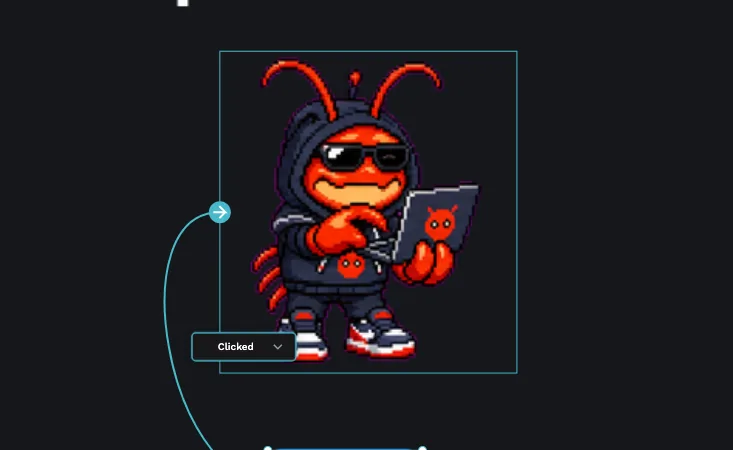
Pet एक animated sprite है, एक छोटा character जो frames के बीच cycle करके जीवंत लगता है. जब आप उसे submit करते हैं, तो वह community Pets gallery में feature हो सकता है, ताकि सभी लोग उसे use और enjoy कर सकें.
Pet submit करने के दो तरीके हैं. सबसे तेज तरीका Petdex से है: आप एक URL paste करते हैं और काम हो जाता है. दूसरा तरीका GitHub से है, उन sprites के लिए जिन्हें आप खुद spritesheet और sprite.json के रूप में host करते हैं. आप existing Petdex pet submit कर सकते हैं या अपना original pet बना सकते हैं.
दोनों methods PicoPixel app के अंदर हैं, इसलिए पहले signed in होना होगा.
शुरू करने से पहले
सब कुछ PicoPixel app के अंदर होता है. Submission screen तक पहुंचने के लिए:
- App को app.picopixel.io पर खोलें.
- अगर signed in नहीं हैं तो sign in करें; sign-in Google या GitHub OAuth से होता है. अगर आप यह skip करते हैं, तो submit करने से पहले prompt आएगा.
- Left sidebar के bottom में अपना account क्लिक करें.
- "Your account" चुनें.
- "Submit Sprite" खोलें.
Submit Sprite screen नीचे बताए गए दो methods देती है.
कुछ भी submit करने के लिए logged in होना जरूरी है. अगर आप signed in नहीं हैं, तो app आगे बढ़ने से पहले prompt करेगा.
Petdex से submit करना
यह recommended और fastest method है. Petdex petdex.crafter.run पर एक external pet directory है, जहां आप pets browse, create और host कर सकते हैं. वहां हर pet का shareable URL https://petdex.crafter.run/pets/<pet-id> जैसा होता है.
Submit करने के लिए:
- Petdex पर pet ढूंढें या create करें और उसका URL copy करें.
- Submit Sprite screen पर "Submit via Petdex" चुनें.
- Pet URL को "Petdex URL" field में paste करें.
- Optional "Notes" field में helpful जानकारी जोड़ें.
- Send करें.
Petdex से submit करना सबसे quick path है; इसे RECOMMENDED और FASTEST label किया गया है, और वजह साफ है. आपको सिर्फ एक URL चाहिए.
GitHub से submit करना
इस method का इस्तेमाल तब करें जब आप sprite खुद host करते हैं. Petdex link के बजाय आप raw files देंगे.
- अपनी spritesheet image और matching
sprite.jsonको public GitHub repository में रखें. - Submit Sprite screen पर "Submit via GitHub" चुनें.
- Repository URL paste करें (
https://github.com/...). - "Credits / Author" भरें ताकि work attributed हो.
- Optional "Notes" field में useful जानकारी जोड़ें, फिर send करें.
Spritesheet और sprite.json को एक specific format follow करना होता है. अगला section यह समझाता है.
अपना unique pet बनाना
Featured Petdex pet reuse करने के बजाय आप original pet बना सकते हैं. OpenAI Codex जैसे AI tools या AI image generators scratch से character spritesheet बनाने का practical तरीका हैं.
Spritesheet एक single image (PNG या WebP) होती है, जो uniform grid यानी "atlas" की तरह layout की जाती है. हर row में एक animation रखें, और हर frame का size identical रखें.
हर frame की width और height बिल्कुल same होनी चाहिए. Mismatched cells वाली grid cleanly slice नहीं होगी, और animation jump या break कर सकती है.
sprite.json sheet को describe करता है. इसके दो main parts हैं:
- atlas, grid layout:
columns,rows,frameWidth, औरframeHeight. - states, animations की array. हर state में
id,label, उसकाrow,framesकी संख्या, optionaldurationMs,group, औरcaptionहोता है.
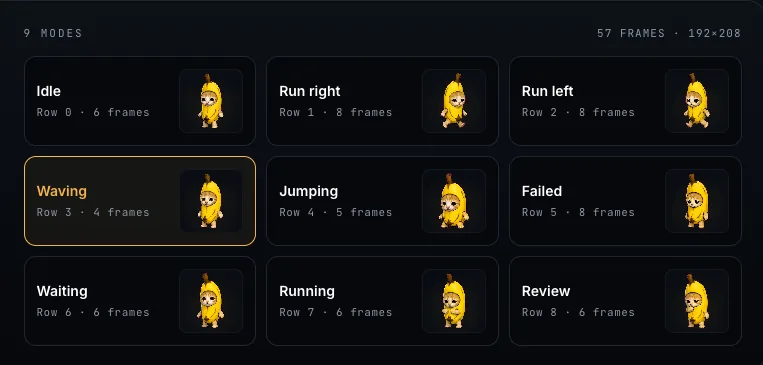
Typical states में idle, wave, jump, run-right, run-left, running, waiting, failed, और review शामिल हैं. Sprite को कम से कम दो states चाहिए, इसलिए common states generate करें, minimum idle और एक motion.
अच्छा workflow: frames को consistent size पर generate करें, उन्हें regular grid में arrange करें जिसमें हर row में एक animation हो, फिर grid और states को sprite.json में describe करें और Petdex या GitHub से submit करें.
Sprites की concept, states, phases और reuse को LVGL Sprites में ज्यादा detail में समझाया गया है.
आगे क्या होता है
Submit करने के बाद PicoPixel team आपके pet की समीक्षा करती है और अगर कुछ clarify करना हो तो follow up कर सकती है. Approved pets Pets gallery में आपके credit के साथ दिखाई देते हैं. वहां से community का कोई भी व्यक्ति आपकी creation ढूंढकर use कर सकता है.
आगे कहां जाएं
- LVGL Sprites, sprite states और frames कैसे काम करते हैं.
- Event Editor, अपने designs में interactivity जोड़ें.
- Submit a Template, ऐसा PicoPixel design share करें जिससे दूसरे शुरू कर सकें.
- Report Content, नियम तोड़ने वाले pet या template को flag करें.
- Pets gallery, community pets browse करें.