Overview
PicoPixel LVGL के लिए ultimate editor है: embedded UIs visually बनाने के लिए Figma-like workspace, reusable components, libraries, assets और collaboration tools के साथ, जो LVGL projects के actual shipping workflow के around built है.
PicoPixel में UI बनाने के बाद आप C code export कर सकते हैं और उस code को virtually किसी भी device पर use कर सकते हैं जो LVGL run कर सकता है. PicoPixel currently LVGL 8.x support करता है, और LVGL 9 support planned है.
Templates, UI kits, examples, sprites, widgets और full apps इस workflow के starting points हैं. कुछ PicoPixel development team ने बनाए हैं, और कुछ users और wider community ने. अगर आपके पास share करने लायक कुछ useful है, तो How to submit a template देखें.
Template असल में क्या है
PicoPixel template बस एक .picopixel file है. उसके पीछे कोई magic नहीं छुपा: यह वही type की file है जिसे आप अपने workspace से export कर सकते हैं.
इसका मतलब है कि template में screens, LVGL widgets, reusable components, colors, fonts, images, animated images, sprites और other assets हो सकते हैं. जब आप इसे open या import करते हैं, तो original design में locked नहीं होते. आप edit कर सकते हैं, strip down कर सकते हैं, parts को दूसरी file में copy कर सकते हैं, team library के रूप में publish कर सकते हैं, या LVGL C code export कर सकते हैं.
Important idea यह है: template सिर्फ screenshot नहीं है. यह editable PicoPixel project file है जो आपके LVGL workflow का हिस्सा बन सकती है.
Templates कहां मिलेंगे
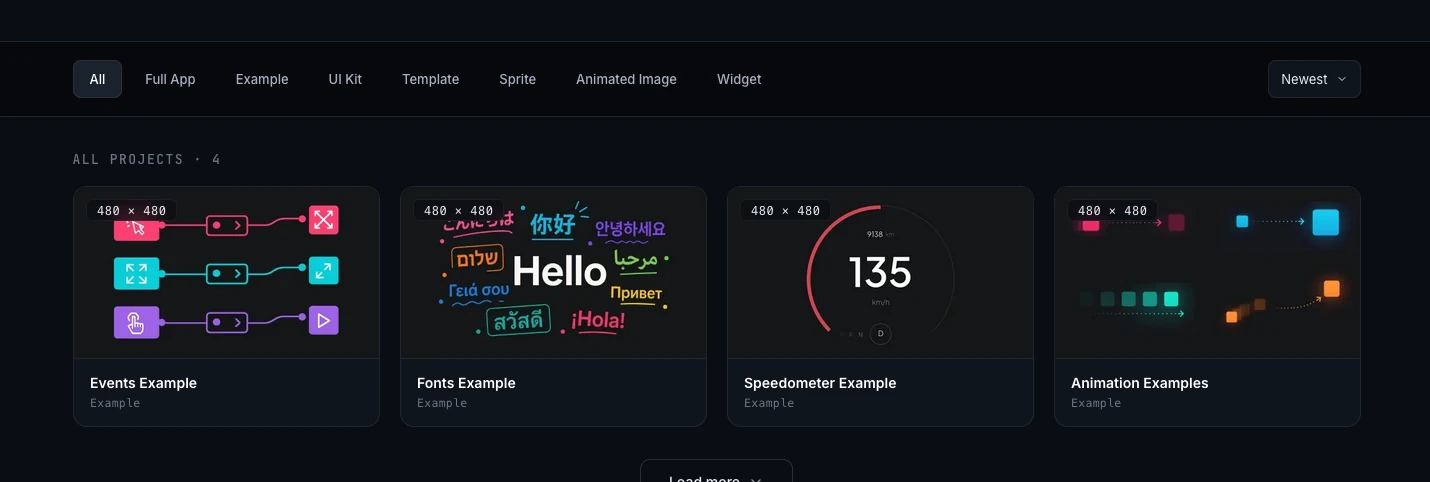
Browse करने की main जगह PicoPixel templates gallery है. आप gallery को project type से filter कर सकते हैं, project detail page खोल सकते हैं, included चीजों का preview देख सकते हैं, और तय कर सकते हैं कि file को PicoPixel में कैसे लाना है.
Same file collection GitHub से भी access कर सकते हैं:
GitHub useful है अगर आप files directly download करना, project history check करना, या .picopixel files को other project assets के साथ रखना पसंद करते हैं.
सही starting point चुनें
Gallery में कई kinds की files हैं. आप जो borrow करना चाहते हैं उसके हिसाब से चुनें.
- Full App, complete app project. Future में more full app entries firmware binary include कर सकती हैं ताकि hardware flash करना आसान हो. अभी UI file open करने, customize करने और अपने firmware के लिए UI code export करने पर focus करें.
- Example, focused reference project जो एक workflow, widget, layout या interaction pattern demonstrate करता है.
- UI Kit, reusable components, styles, screens और assets का set जिसे multiple products में adapt कर सकते हैं.
- Template, ready-made screen या project layout जिसे अपने interface में customize कर सकते हैं.
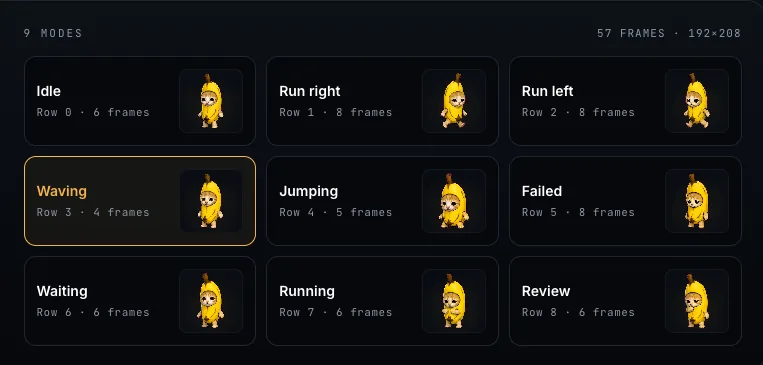
- Sprite, reusable animated, multi-state LVGL widget. PicoPixel में sprites कैसे work करते हैं, इसके लिए What is a sprite? देखें.
- Animated Image, LVGL animated image frames पर based file या example. Details के लिए Working with the LVGL Animated Image Widget देखें.
- Widget, customized LVGL widget या component जिसे larger UI में drop कर सकते हैं.
अगर start कहां से करें यह clear नहीं है, तो behavior सीखना हो तो example use करें, reusable building blocks चाहिए तो UI kit, और already close screen चाहिए तो template.
File open या import करना
Templates gallery से कोई useful project क्लिक करें. आप preview, metadata, gallery images और action buttons वाले project detail page पर पहुंचेंगे.
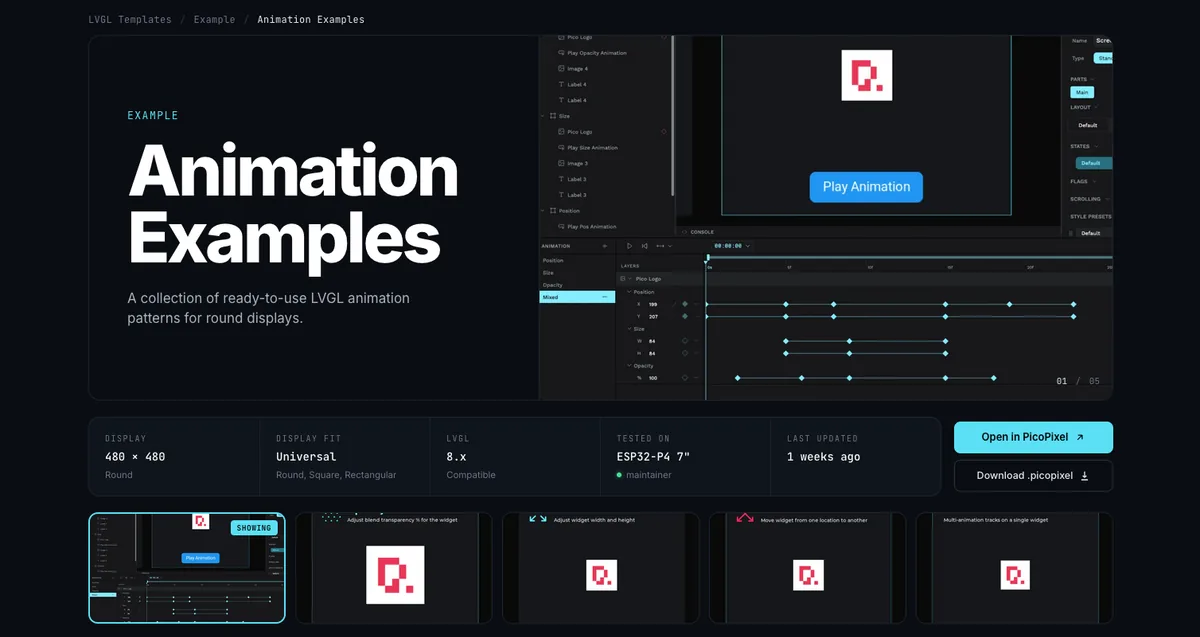
File को PicoPixel workspace में add करने के तीन common ways हैं.
- Open in PicoPixel क्लिक करें. जब आप file को directly editor में open करना चाहते हैं, यह fastest path है.
- Download .picopixel क्लिक करें. यह file locally save करता है ताकि आप later import कर सकें, backup रख सकें, या firmware project के साथ share कर सकें.
- GitHub से
.picopixelfile download करें, फिर उसे PicoPixel में drag and drop करें या editor से import करें.
File PicoPixel के अंदर आने के बाद किसी भी दूसरे PicoPixel project की तरह behave करती है. Rename करें, duplicate करें, screens edit करें, assets replace करें, fonts बदलें, colors tune करें और ready होने पर export करें.
अंदर मौजूद चीजों को reuse करना
Template import होने के बाद possibilities खुल जाती हैं. आप पूरी file को starting project की तरह use कर सकते हैं, या parts की library की तरह treat कर सकते हैं.
कई files reusable assets include करती हैं, जैसे images, colors, fonts, animated image frame sets और components. File के साथ क्या आया है यह देखने के लिए Assets tab खोलें.
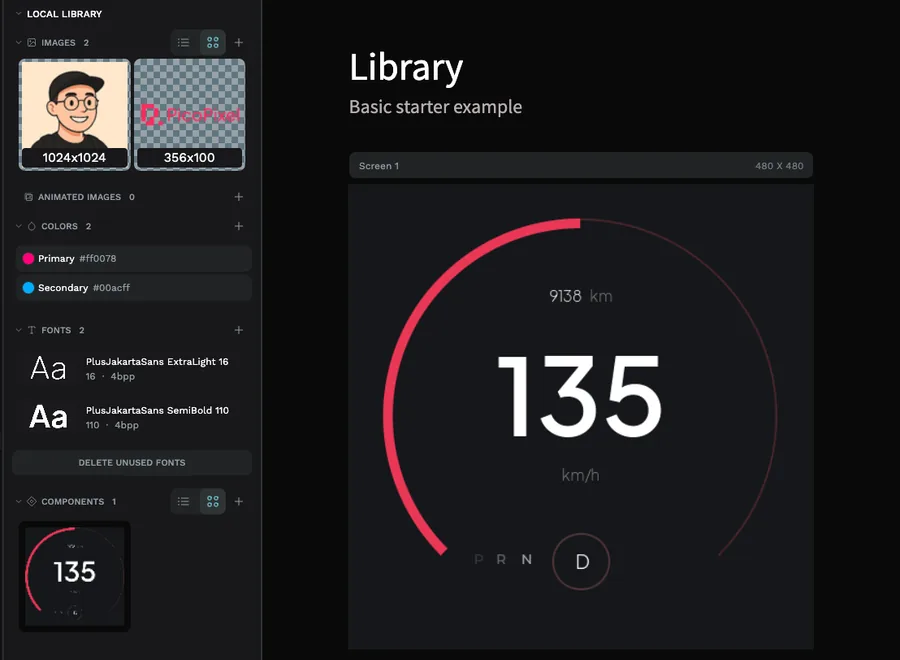
अगर file में reusable LVGL widgets या components हैं, तो आप इसे team library में बदलकर दूसरी files से link कर सकते हैं. यह UI kits और widget packs के लिए especially useful है: source file को main library रखें, फिर उसके components हर product UI में pull करें.
Full workflow के लिए Guide to libraries and reusable LVGL components in PicoPixel पढ़ें. यह local libraries, published team libraries, linked libraries और component updates files के बीच कैसे move होते हैं, समझाता है.
Device पर export करना
जब UI ready हो, PicoPixel से LVGL C code export करें और उसे अपने board के firmware के साथ integrate करें. Exported UI virtually किसी भी LVGL-supporting device पर run कर सकता है, अगर firmware और LVGL configuration आपके used widgets और assets के लिए setup है.
Memory पर ध्यान दें. Large images, animated image frames, sprites, big fonts और complex full-screen layouts default रूप से tiny board में available RAM और flash से ज्यादा मांग सकते हैं. अगर PicoPixel में सब ठीक दिखता है लेकिन flashing के बाद नहीं दिखता, तो LVGL configuration, image sizes, color depth, heap allocation और display buffer setup check करें.
Templates starting points हैं, hardware guarantees नहीं. हमेशा confirm करें कि आपके board में exported UI के लिए enough RAM और flash है, especially animated images, sprites, large fonts या many image assets use करते समय.
आगे कहां जाएं
- Templates gallery, available
.picopixelfiles browse करें - How to submit a template, अपनी PicoPixel file community के साथ share करें
- Guide to libraries and reusable LVGL components in PicoPixel, imported components files में reuse करें
- What is a sprite?, multi-state animated widgets कैसे work करते हैं सीखें
- Working with the LVGL Animated Image Widget, frame-based LVGL animations समझें