概览
template 是你的某个 PicoPixel 文件,被分享后,其他人可以把它作为起点打开。不必从零构建屏幕,他们可以从你已经完成的 layout、widgets 和 styling 开始。
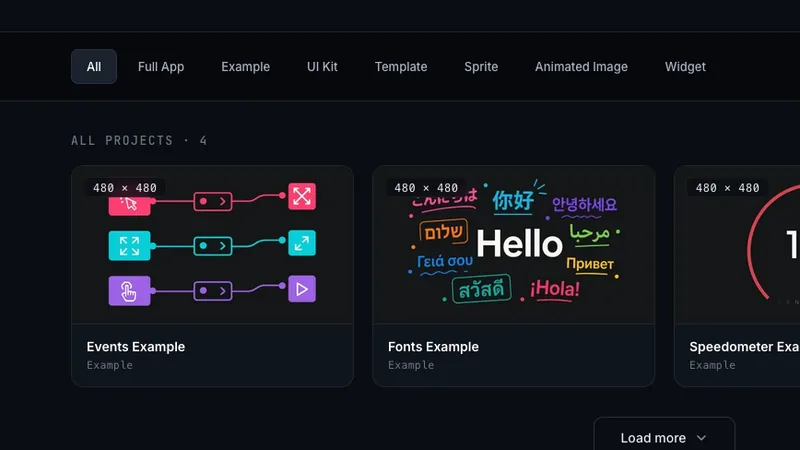
Templates 通过 GitHub 提交。你需要创建一个 public repo,其中包含你的 .picopixel 文件、想展示的图片,以及描述 template 的 README。被接受后,你的 template 会出现在社区 Templates gallery,任何人都能浏览和使用,并显示你的署名。
本指南会说明如何设置 repo、填写提交表单、你授予的权利,以及如何提高提交被接受的机会。
开始之前
提交前需要准备两件事。
- A GitHub account. 你的 template repo 必须托管在 GitHub。如果没有账号,请先 create one。
- A finalized design. 提交前请确认你对
.picopixel文件满意。从 PicoPixel app 导出它,并准备好加入 repo。
你必须登录 PicoPixel app 才能访问提交表单。打开 the PicoPixel app,如果还没登录,请使用 Google 或 GitHub 登录。
设置你的 GitHub repo
为你的 template submission 创建一个新的 public GitHub repository。repo 应包含三类内容:
1. Your .picopixel file
将 .picopixel design file 放在 repo 根目录。这是人们会下载并在 PicoPixel 中打开的文件,所以请确保它是最终版本。
2. Showcase images
添加你希望在图库中与 template 一起显示的图片。这些图片能帮助人们在下载前了解设计外观。
- 将图片放在 repo 根目录,或放入
images/这样的文件夹。 - 使用常见格式:
.png、.jpg或.webp。 - 至少包含一张设计运行中的截图。多个角度或多个屏幕更好。
- 保持图片尺寸合理:足够看清细节,但不要不必要地巨大。
3. A README
在 repo 根目录写一个 README.md。它会作为 gallery 中 template 的描述,因此请把它当作 template 的公开页面来写。
一份有力的 README 应覆盖:
- What the template is — 简要说明设计是什么、用途是什么。
- Target resolution and hardware — 它面向的开发板或显示屏,让人知道是否适合自己的配置。
- What's included — 列出 screens、widgets 和关键功能。例如:"two screens: a home dashboard and a settings page, with sliders, toggles, and a clock widget."
- Credits — 如果使用了有权分享的第三方 assets,请写明名称和来源。
想象有人在图库里第一次看到你的 template,没有其他上下文。如果 README 能回答 "what is this and will it work for me?",它就完成了任务。
Here's a minimal example:
# Weather Dashboard Template

A clean two-screen weather dashboard designed for 320×240 TFT displays.

## What's included

- **Home screen** — current temperature, humidity, and a 3-day forecast row
- **Settings screen** — unit toggle (°C/°F), update interval slider, and Wi-Fi status

## Built for

- 320×240 resolution
- ILI9341 or similar TFT displays

## Credits

Weather icons from [Meteocons](https://bas.dev/work/meteocons) (MIT license).填写表单
repo 准备好后,前往提交表单。
- 打开 the PicoPixel app 并登录。
- 点击左侧边栏底部的账号,然后选择 Your account。
- 在 Your-account 侧边栏中打开 Submit Template。
表单有三个字段:
- GitHub Repo Link — 你的 public GitHub repository URL(例如
https://github.com/yourname/my-template)。repo 必须公开,review team 才能访问。提交前请再次确认 repo 包含.picopixel文件、图片和 README。 - Author / Credits — 你希望作为 template creator 显示的名称。也可以添加应与你一起署名的人。
- Notes(optional)— review team 需要知道、但 README 中没有的信息。例如某些图片不应在 gallery listing 中使用,或设计背景不适合写进公开描述。
确认无误后,提交表单。
权利和权限
提交 template 会授予真实权限,因此发送前请仔细阅读。
不要提交任何包含 copyrighted content 或你不拥有的内容的材料。repo 中的一切:.picopixel 文件、图片、字体、图标和其他 assets,都必须完全是你的原创作品,或你拥有明确公开分享权限的材料。
提交后,你授予 PicoPixel 访问、下载并在社区 templates gallery 中公开发布 repository 内容的权限。已发布的 templates 会在没有任何版权限制或许可要求的情况下提供,让任何人都可以在自己的项目中自由使用,包括商业用途。你的署名会显示,但 template 本身可供他人按自己的方式自由使用。
这意味着你只应提交你愿意按这些条款分享的作品。如果你的设计中任何部分使用了非你创作的 asset:字体、图标集、图片或其他内容,而你不确定能否自由且无限制地分享,请在提交前移除。拿不准时就不要放进去:干净的 template 比之后必须下架的 template 更有用。
PicoPixel 可能移除侵犯第三方权利的内容。见 Terms。
接下来会发生什么
提交后,PicoPixel 团队会 clone 你的 repo 并审核 template。审核会检查 .picopixel 文件是否能正确打开,图片和 README 是否合适,以及提交是否符合 Terms。
如果有内容需要澄清或修复,团队可能会跟进。通过审核后,template 会发布到 Templates gallery,显示你的署名,并使用 README 作为描述。之后,任何人都可以把它作为自己设计的起点打开。
提交后请保留你的 repo。如果之后需要更新 template:修 bug、替换图片或改进描述,你可以更新 repo 并告知团队。
如果已发布的 template 需要更正或下架(无论是你的还是别人的),请看 How to report content。
下一步
- Templates gallery,浏览社区 templates
- How to submit a pet,分享 animated sprite
- How to report content,举报 pet 或 template 的问题
- Terms,适用于提交内容的规则