The visual drag & drop LVGL editor
Build LVGL Interfaces Visually
Together.Design, prototype, and export production-ready LVGL interfaces — no hand-coding required.
Get Started. It's Free!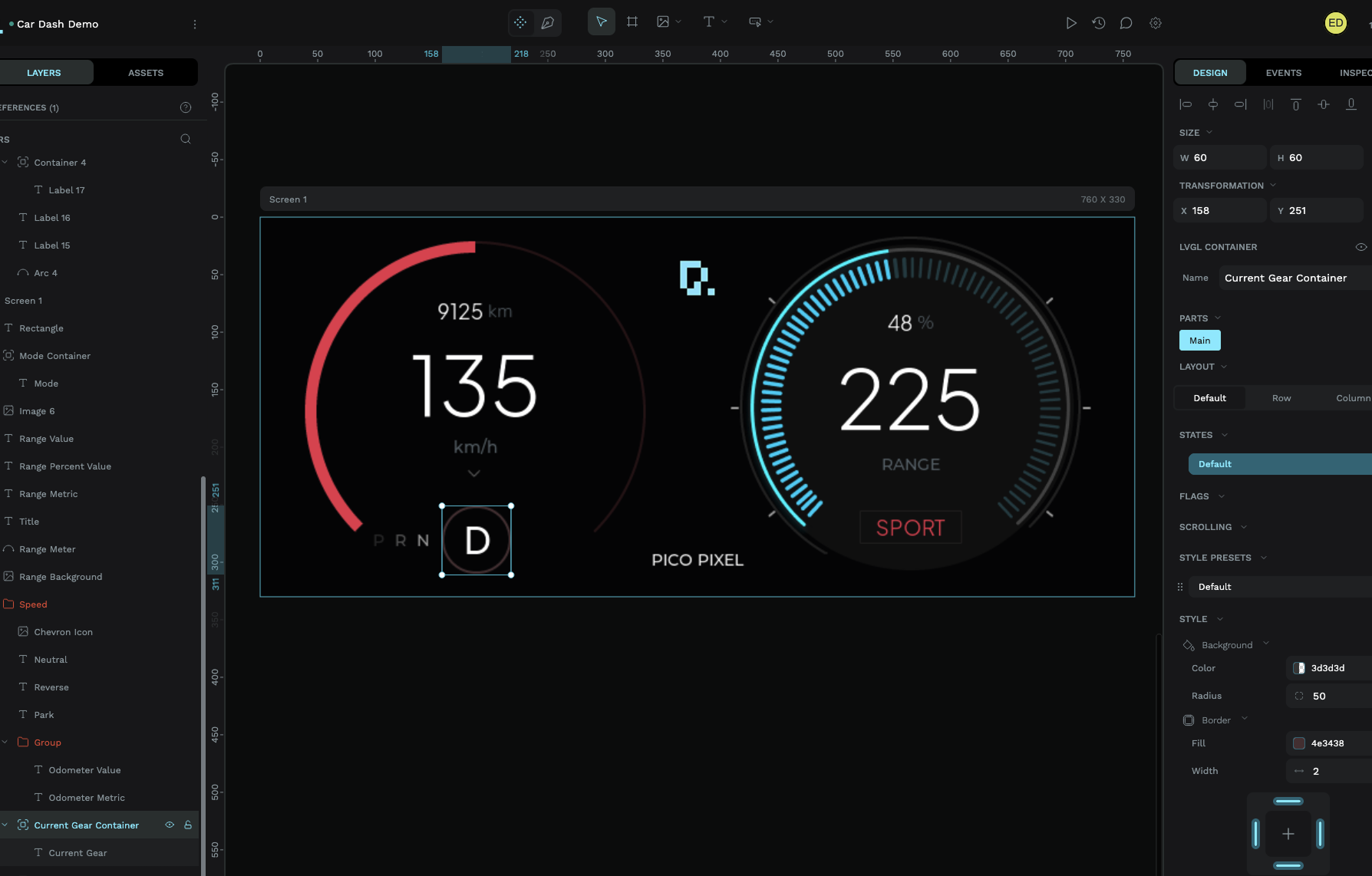

The visual drag & drop LVGL editor
Design, prototype, and export production-ready LVGL interfaces — no hand-coding required.
Get Started. It's Free! Real-time collaborative editing — leave feedback, see changes as they happen, and keep your team in sync.
Create and revert to different versions with ease. Session Actions track granular changes across your widgets.
Create reusable custom widgets you can drag and drop into existing or other projects.
Live LVGL simulator you can share with team members or clients. Interaction overlays show exactly what can be tapped and scrolled.
Easily create an array of fonts and declutter what you don’t need once you find the size you like.
PicoPixel is a browser-based visual editor for LVGL. Drag and drop components onto a live canvas, style them visually, and export clean C code ready to compile on ESP32 and beyond.
Think of it as Figma for embedded UIs — real-time collaboration, a built-in simulator, and nothing to install. Explore all features or see how it works.
Key Features
A complete visual toolkit for LVGL — from drag-and-drop layout to production-ready code export.
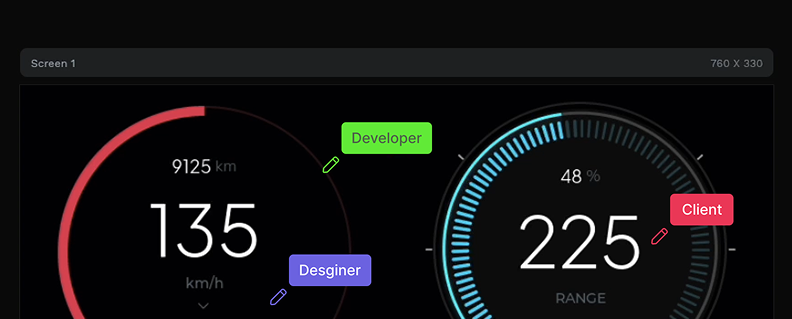
Add widgets onto a pixel-perfect LVGL canvas. See every change in real time as you build.
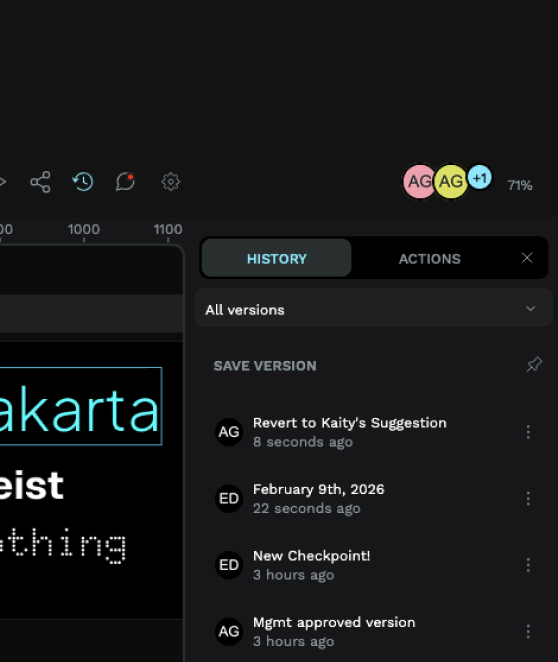
Track every change with built-in version control. Use the Actions panel for granular session history and precise rollbacks.
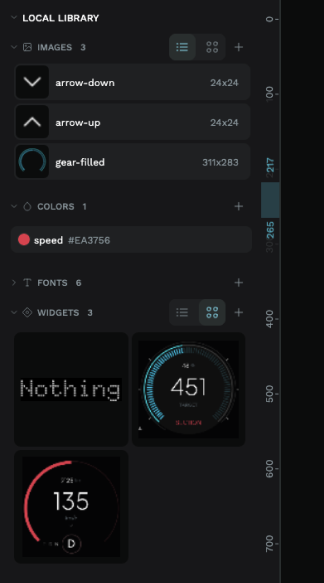
Reusable widgets, images, fonts, and colors — drag and drop to build new interfaces.
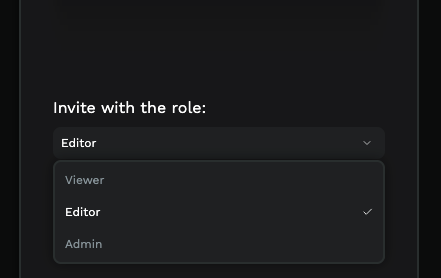
Send simulator links to clients or teammates — they can view progress and interact with your UI live.
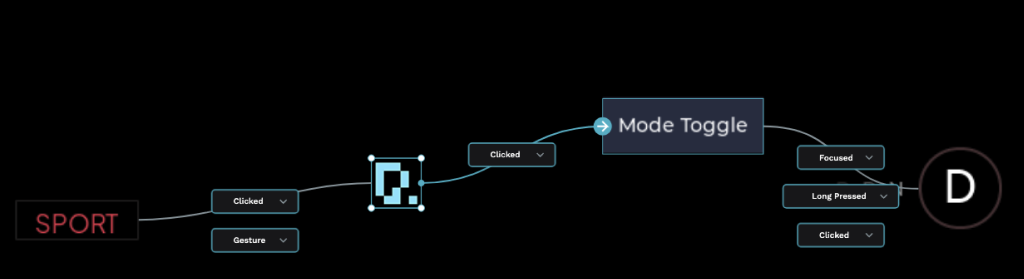
Drag and drop event handlers onto widgets and buttons. Wire up LVGL actions, transitions, and callbacks without writing code.







PicoPixel generates standard LVGL C code that compiles on any platform with an LVGL port — including ESP32, STM32, Arduino, Raspberry Pi Pico, and dozens of other microcontrollers.
Simple Workflow
Drag LVGL widgets onto a pixel-perfect canvas. Style colors, fonts, layouts, and animations in real time.
Run your interface in the built-in LVGL simulator powered by WebAssembly. Share interactive preview links with your team or clients.
Download production-ready C code optimized for your target board. Flash it and see the exact same UI on hardware. Compare with other LVGL editors.
Free to use
No credit card. No time limits. Jump straight into the visual LVGL editor and bring your embedded interfaces to life — whether you're building for ESP32, Arduino, M5Stack, or any LVGL-compatible board. See all features.